Results depend on scope, integrations and adoption.
The operating context
A clearer view of the whole operation.
Restaurants need table service, ordering, kitchen preparation, billing, payments, and inventory to move through one connected workflow. When paper KOTs, standalone POS tools, and separate delivery processes are used together, staff spend more time coordinating orders and correcting mismatches.
Where friction builds
Service breaks down when orders and kitchen workflows are disconnected.
Order accuracy can break down when waiters, kitchen staff, cashiers, and customers rely on separate processes. Changes to quantities, modifiers, table assignments, or preparation instructions may not reach the right kitchen station quickly enough, especially during peak periods.
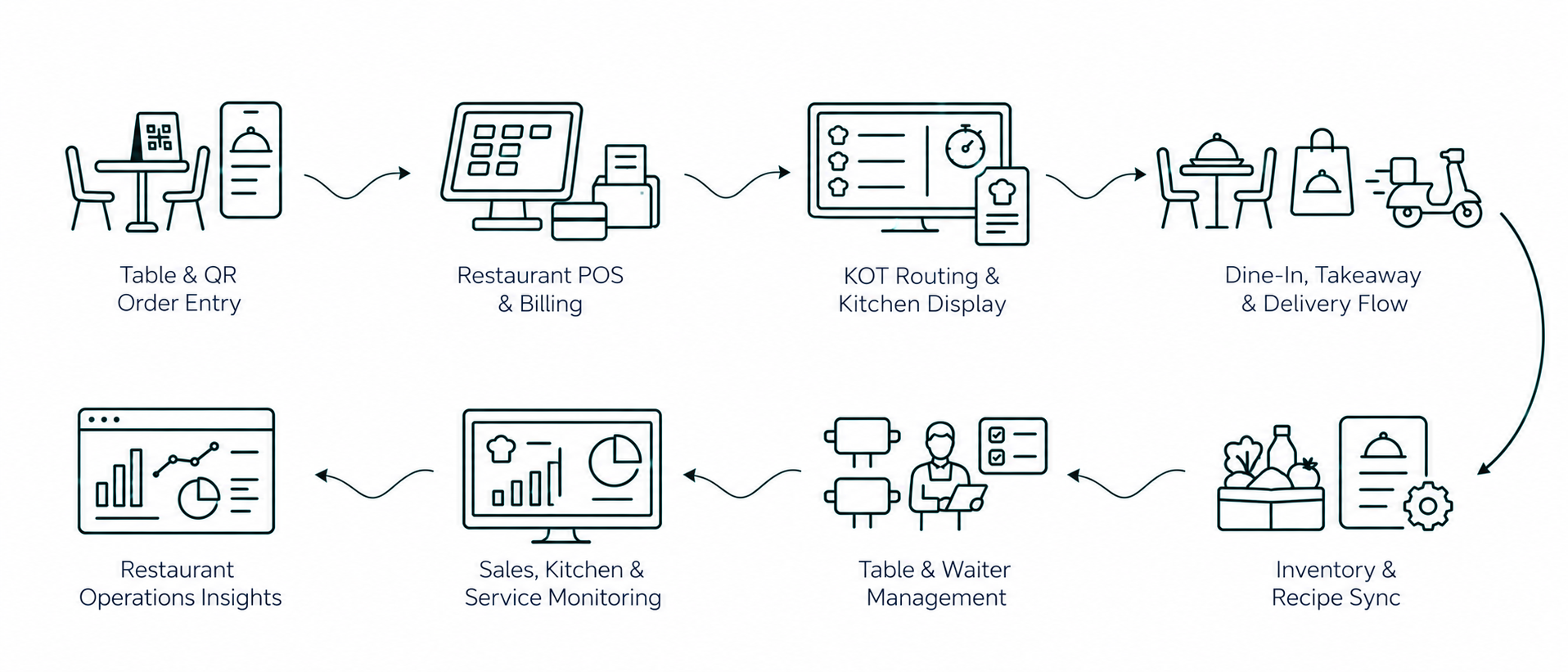
The complexity grows when dine-in, takeaway, delivery, split billing, recipe consumption, and inventory must all stay synchronized. A connected restaurant system should keep the order lifecycle visible from table or QR order through preparation, billing, payment, and stock consumption.
Current approach
Paper-based KOT systems
Standalone POS without kitchen integration
Manual table and billing management
Separate systems for dine-in and delivery
Operational impact
Order errors and kitchen miscommunication
Long waiting times
Billing inconsistencies
Limited visibility into sales and performance
Inside the solution
The capabilities behind the operation.
Review the functional scope, then discuss the requirements specific to your team.
Restaurant POS
Fast POS with modifiers, combos, split bills, and multi-payment support.
QR-Based Self Ordering
Contactless ordering through table QR codes.
Digital Kitchen Display System
Real-time KOT routing with priority and preparation timers.
Table and Waiter Management
Table layout, status tracking, and staff assignment.
Delivery and Takeaway Integration
Unified handling of dine-in, takeaway, and delivery workflows.
Inventory and Recipe Sync
Automatic ingredient deduction based on ordered items.
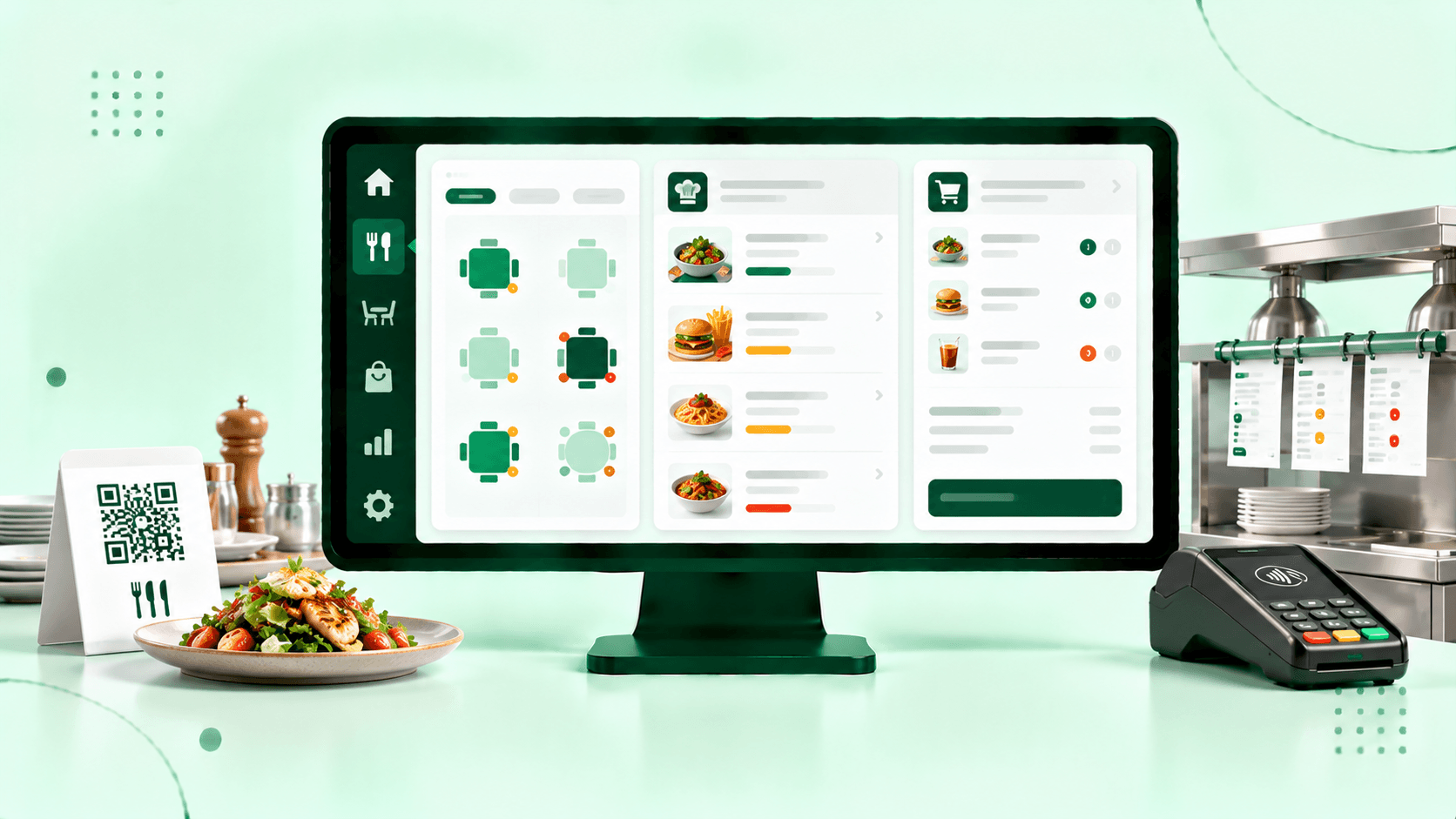
PySquad builds Odoo restaurant systems that connect POS, QR ordering, KOT, kitchen displays, tables, billing, takeaway, delivery, and inventory. Workflows can be configured around the restaurant format, service model, and operating requirements.
How it connects
The complete workflow, in one view.
Make an informed decision
Is this the right fit?
The right solution starts with the right operating requirements.
Can customers order directly from a QR code at the table?
Yes. A QR ordering workflow can let customers scan a code assigned to a table, browse the menu, select items and modifiers, and place an order without waiting for manual order entry. The order can then flow into the restaurant’s POS and kitchen workflow.
How does the kitchen receive orders from Odoo POS or QR ordering?
Orders can be routed to configured kitchen stations or displays based on menu category, preparation area, or restaurant workflow. Kitchen staff can then review new items, preparation status, and order priority without relying on paper KOTs.
Can Odoo manage dine-in, takeaway, and delivery orders in one system?
Yes. Odoo can be configured so dine-in, takeaway, and delivery orders share common menu, billing, payment, kitchen, and reporting workflows while still using different order types and fulfillment rules.
Can Odoo restaurant POS support split bills and multiple payment methods?
Yes. Restaurant POS workflows can support split billing, shared orders, partial payments, and multiple configured payment methods. The exact billing flow should be set up around the restaurant’s service model and payment providers.
Can Odoo deduct ingredients automatically when menu items are sold?
Yes. Menu items can be linked to recipes or bills of materials so ingredient consumption can be recorded against sales. This can improve food-cost and stock visibility, provided recipes, units, waste assumptions, and inventory transactions are maintained correctly.
Start with your requirements
Let’s define your next step.
Tell us what needs to work better, the systems you use, and the scope you have in mind.