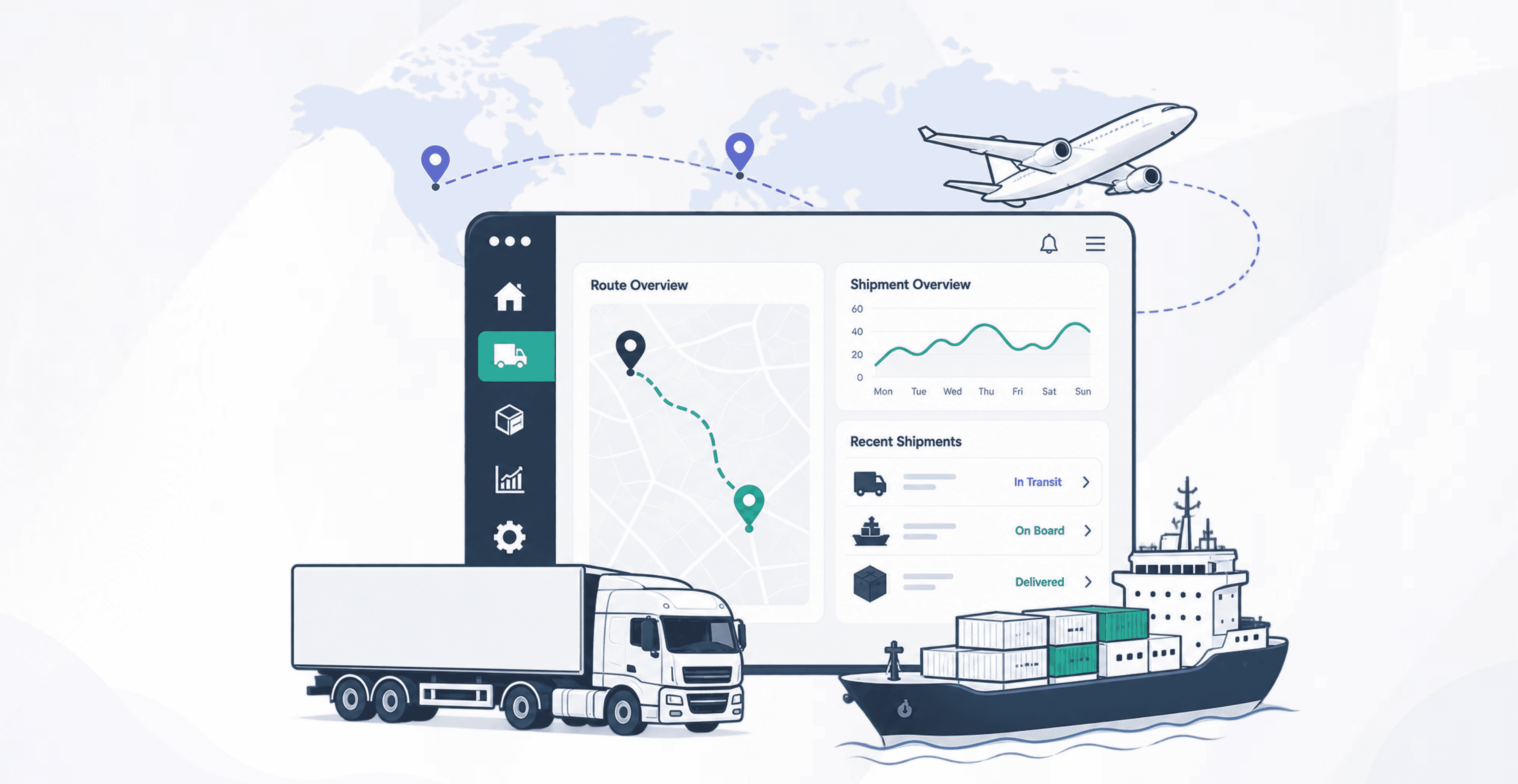
Odoo TMS for fleet operators: trip planning, dispatch board, LTL loads, freight tariffs, driver proof of delivery, customer tracking, and invoices. English and Arabic. Community and Enterprise.
Same-day dispatch from one board instead of chat and spreadsheets
Fewer missed accessorials because extra stops and waiting time sit on the trip
POD and tracking attached to the shipment, not lost in a phone thread
Finance invoices from trip data in Odoo Accounting
Results depend on scope, integrations and adoption.
The operating context
A clearer view of the whole operation.
Carriers still run dispatch in spreadsheets, GPS in a separate login, and billing in Accounting after the truck is back. That split is what leaks margin: missed accessorials, late POD, and no shared view of which trip is late. PySquad TMS is an Odoo app plus implementation. It sits on Fleet, Sales, Inventory, and Accounting so a trip, a shipment, a tariff, and an invoice are the same record trail. English and Arabic. GPS is optional and uses a configured provider, not a promised live map on day one.
Where friction builds
Transport orders, dispatch, and billing break when they run separately
Dispatchers assign work by phone. Drivers send status on WhatsApp. Finance rebuilds freight from trip sheets, then argues over waiting time and extra stops. LTL work (several customers on one truck) makes that worse: one missing POD blocks several invoices.
Standalone GPS does not create a bill. Spreadsheets do not know vehicle capacity or contract tariffs. Customers get a tracking link that is already stale. The cost is not one bad trip. It is every week of trips you cannot price or prove.
Current approach
Plan trips in spreadsheets and assign work by phone or chat
Run GPS in a vendor portal that never reaches Odoo billing
Collect POD as photos in a messaging app
Type freight invoices after the trip, then chase extra-stop and waiting-time charges
Operational impact
Dispatchers cannot see which trips are late, overloaded, or still unassigned
LTL and extra stops leak revenue because they never hit the invoice
Finance and operations argue from different records
Customers cannot track a shipment without calling the office
Inside the solution
The capabilities behind the operation.
Review the functional scope, then discuss the requirements specific to your team.
Trip planning and dispatch board
Build a trip with vehicle, driver, stops, and load lines. Move it from planned to dispatched to in transit from one board.
Shipments and LTL
Take a customer shipment onto a trip. Several customers can share one truck. Print bill of lading and delivery receipt.
Freight tariffs and invoicing
Price from contracts, tariffs, and accessorials, then post customer invoices in Accounting from the trip.
Driver portal and POD
Drivers open assigned trips on a phone browser, update stops, and capture proof of delivery. This is the Odoo portal, not a separate mobile store app.
Customer tracking
A tracking number for guests, plus a logged-in portal so customers can follow shipments and request a move.
GPS when you have a provider
Optional GPS providers, positions, and ETA snapshots on the trip. Live map data needs a configured source. It is not automatic at install.
Fleet maintenance and drivers
Vehicle readiness, maintenance requests, and driver costs sit next to the trip, on Odoo Fleet.
Control tower and subcontracting
An operations dashboard for open trips and exceptions. Hand a job to an outside carrier when your own fleet cannot take it.
Driver mobile app
Drivers get a mobile app for assigned trips, stop updates, and proof of delivery on the road, so dispatch is not waiting on calls or chat screenshots.
Product walkthrough
See the solution in action.
Take a closer look before starting a conversation.
Map dispatch, LTL vs FTL, subcontracting, and how you invoice freight today
02
Install and configure PySquad TMS on your Odoo (zones, vehicles, tariffs, roles)
03
Turn on driver portal POD and customer tracking before any GPS work
04
Connect a GPS or telematics provider only if you already use one
05
Train dispatch, billing, and a pilot set of drivers on the real trip flow
06
Go live with reports for trip cost, freight, and on-time delivery
Our approach
We start from how you dispatch today: own fleet vs subcontract, FTL vs LTL, and how you price freight. Then we configure PySquad TMS on Odoo: zones, route templates, tariffs, accessorials, driver portal POD, and customer tracking. GPS and telematics are wired only when you have a provider. You get one operations desk, not a slide deck.
How it connects
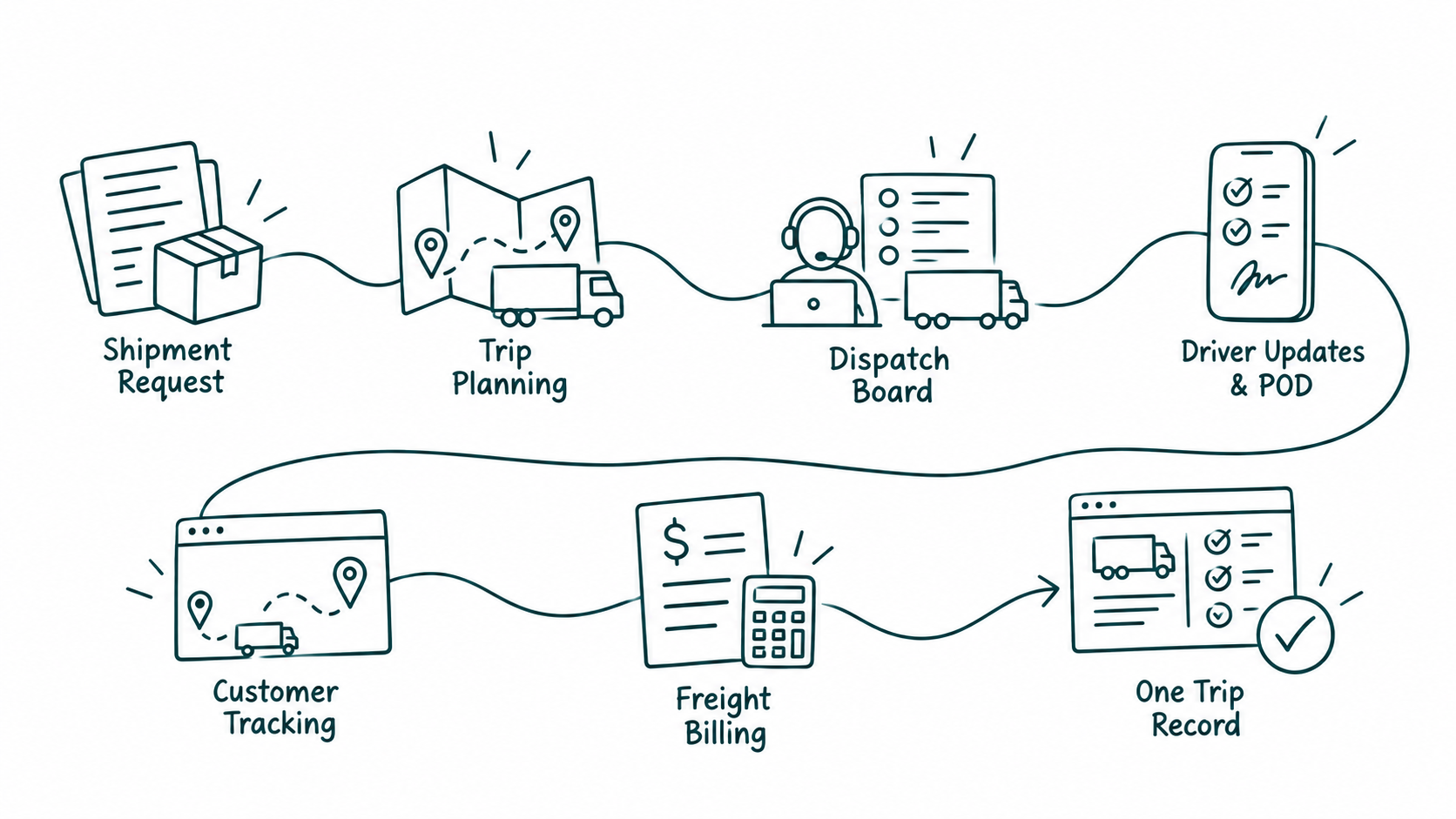
The complete workflow, in one view.
Make an informed decision
Is this the right fit?
The right solution starts with the right operating requirements.
What does an Odoo transport and logistics module manage?
It can manage customer transport orders, FTL and LTL shipments, trip planning, dispatch, vehicles, drivers, contract tariffs, freight invoices, POD, customer tracking, and subcontracted transport operations.
Can Odoo TMS integrate with GPS tracking devices?
Yes. Odoo TMS can integrate with GPS fleet tracking platforms, telematics devices, and vehicle monitoring systems. This allows dispatchers and operations managers to view vehicle locations, monitor trip progress, calculate estimated arrival times, and improve fleet visibility without switching between multiple applications.
Is Odoo TMS suitable for growing transportation companies?
Yes. Odoo Transport Management System is well suited for transportation businesses expanding their fleet size, service areas, or shipment volumes. The platform supports additional vehicles, drivers, routes, and locations while maintaining centralized operational visibility and consistent transport management software processes.
What is PySquad Odoo TMS?
It is an Odoo module plus our implementation. You plan trips, dispatch vehicles and drivers, carry one or many customer shipments on a trip, price freight, capture proof of delivery, and invoice from Accounting. Tracking and GPS are part of that trip record when you switch them on.
Driver mobile app?
Yes, Drivers get a mobile app for assigned trips, stop updates, and proof of delivery on the road, so dispatch is not waiting on calls or chat screenshots.
Start with your requirements
Let’s define your next step.
Tell us what needs to work better, the systems you use, and the scope you have in mind.